

Halow TV
Halow TV is an IPTV streaming app for Android that brings a wide range of live TV channels, sports, news, movies, and international content to your phone or tablet.
The app focuses on simple navigation and fast streaming, so you can quickly open a channel and start watching without complicated setup or sign-up screens.
You can download the official Halow TV APK file directly from our website and install it on any compatible Android device running Android 5.0 or higher.
Rate this app
App details
- App name
- Halow TV
- Category
- Entertainment
- Version
- v1.2.6
- Size
- 22.7 MB
- Requirements
- 5.0 and Above
- Package name
- com.halowappnewvr2.app
- Publisher
- HalowTV
- Price
- Free
- Mod
- No
- Downloads
- 75,893
- Rating
- 4.7 / 5
- Rating count
- 23,918
- Play Store
- No
- Requires root
- No
- Offline support
- No
- Contains ads
- No
- In-app purchases
- No
- Updated
- May 20, 2026
- Age rating
- Rated for 3+
Table of contents
What is Halow TV APK
Halow TV is an Android entertainment and IPTV application that aggregates live TV channels from different regions and categories in one place. It is designed for users who prefer watching television content on mobile devices instead of traditional cable or satellite TV.
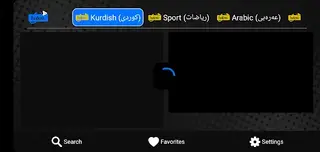
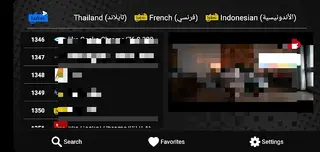
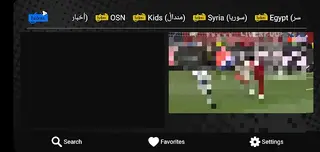
Inside the app you find multiple sections such as sports, entertainment, news, movies, kids, Arabic and Kurdish channels, and more. Each section lists channels that you can open with a single tap and watch in real time as long as you have a stable internet connection.
The interface is straightforward, with clear categories and a lightweight layout that works on many mid-range and older Android devices. There is no mandatory registration process in the app, so users can start browsing and streaming channels shortly after installation.
We have more similar applications available here for you all, through which anyone can have an unlimited entertainment experience. So, if you want to get more similar apps, then you should try F.TV and Disney Plus Nos. Both of these are quite popular available app, which offers IPTV services.
Why download Halow TV for Android
People download Halow TV because it offers a large lineup of IPTV channels in one free Android app. Instead of switching between different services, you can explore sports, movies, series, news, and regional TV from a single dashboard.
The app emphasizes speed and ease of use. Channels are grouped in logical categories, and the player loads quickly when the source is available. For users who enjoy live sports and worldwide TV but do not want complex subscriptions or sign-up forms, this type of IPTV app can be a convenient option.
You can get the Halow TV APK directly from our website, transfer it to your phone if needed, and install it manually. This helps you keep the specific version you want and update it when you decide.
How Halow TV can be useful
Halow TV can be useful for users who like to follow live events, sports matches, and ongoing TV shows on the go. With a working internet connection, you can turn your Android phone or tablet into a portable TV screen.
The categorized layout makes it easy to locate specific types of content, such as football and cricket channels under sports, international cable networks under entertainment, and different language channels for multilingual users. This structure saves time compared to searching for individual streams every time you want to watch something.
Because the app does not rely on heavy animations or complex menus, it is relatively simple to operate for less technical users. You can open the app, pick a category, choose a channel, and start playing it within a few taps.
How to download and install Halow TV APK
You can download the official Halow TV APK file directly from our website and install it manually on your Android device. Follow these basic steps:
Scroll to the download section on this page and tap the download button to save the Halow TV APK (or XAPK) file to your device.
Wait for the download to finish, then open your phone’s File Manager and locate the downloaded file in the Downloads folder.
If you see a security warning, enable installation from unknown sources for your browser or file manager in Android settings.
Tap the APK file again and follow the on-screen prompts to complete the installation process.
Once installed, open Halow TV from your app drawer, grant the required permissions if asked, and start browsing channels.
If you downloaded the file on a PC or laptop, copy it to your phone via USB or cloud storage and then follow the same installation steps.
Features
Large IPTV channel catalog
Offers many live channels across sports, movies, series, news, kids, Arabic, Kurdish and more categories in a single app.
Categorized channel sections
Channels are grouped into clear sections like Sports, Entertainment and News so users can browse and find content quickly.
Fast server response
Optimized streaming servers aim to reduce buffering and provide smoother playback when your internet connection is stable.
No mandatory registration
You can start browsing and playing channels without creating an account or filling in long sign-up forms.
Simple user interface
The app uses a clean and straightforward layout designed to be easy to use on phones and tablets.
Support for popular sports content
Includes many sports channels that often show football, cricket and other live events when available.
International and regional content
Provides access to channels from different regions including Hollywood, Bollywood, Arabic and Kurdish content.
Free to use
The app is provided as a free IPTV player so users can explore its channel list without a subscription inside the app.
Screenshots


Minimum system requirements
Halow TV is built for Android smartphones and tablets and is intended to work on a wide range of devices. For best results, make sure your device meets at least these basics:
Android version: 5.0 or higher
Stable internet connection for streaming (Wi-Fi or mobile data)
Enough internal storage space to install the APK file
Recommended: a modern processor and at least 2 GB of RAM for smoother playback
Performance can vary depending on your device hardware and network quality.
Tips for smoother streaming
To improve the viewing experience while using Halow TV, you can follow a few simple tips:
Whenever possible, use a reliable Wi-Fi connection instead of weak mobile data.
Close other heavy apps running in the background to free up system resources.
If a particular channel buffers often, try switching to another similar channel in the same category.
Check your internet speed if you experience constant lag, as IPTV streaming depends heavily on bandwidth.
Applying these practices can help reduce interruptions and make live TV more enjoyable on your Android device.
FAQs
Pros
- Free IPTV app with a wide range of live TV channels
- Simple interface that is easy to navigate for most users
- No mandatory registration or login required to start watching
- Includes many sports channels that may show football and cricket
- Categorized sections make it faster to find specific types of content
Cons
- Requires a stable internet connection and cannot be used offline
- Channel availability and stability may vary over time
- Not available on Google Play Store, so updates are manual via APK
- Some channels or content categories may be geo-restricted or unavailable in certain regions
Conclusion
Halow TV is a straightforward IPTV app for Android users who want quick access to many live TV channels in one place. If you are comfortable installing APK files manually and have a reliable internet connection, you can download the Halow TV APK directly from our website, install it on your device, and explore its sports, entertainment, news, and international content catalog.




Comments
No approved comments yet.