

IPTV Playlist M3U
IPTV Playlist M3U is an IPTV player for Android that lets you load your own M3U playlists and watch live TV channels on phones and tablets. It focuses on simple playlist management and smooth playback rather than bundling built-in channels.
Instead of being locked into a fixed list of stations, you can paste any valid M3U URL or file and stream sports, news, movies, and international channels that match your interests. The interface stays lightweight so you spend less time configuring and more time watching.
You can download the official IPTV Playlist M3U APK directly from our website and install it on any compatible Android device running version 5.0 or higher.
Rate this app
App details
- App name
- IPTV Playlist M3U
- Category
- Entertainment
- Version
- v25.0.1
- Size
- 25.37 MB
- Requirements
- 5.0 and Above
- Package name
- com.fuevana.live.free
- Publisher
- Juanriapps
- Price
- Free
- Mod
- No
- Downloads
- 75,207
- Rating
- 4.8 / 5
- Rating count
- 21,582
- Play Store
- No
- Requires root
- No
- Offline support
- No
- Contains ads
- Yes
- In-app purchases
- No
- Updated
- May 19, 2026
- Age rating
- Rated for 3+
Table of contents
What is IPTV Playlist M3U App?
IPTV Playlist M3U is a dedicated IPTV player app for Android that works with M3U and similar playlist formats. The app does not include channels by default. Instead, it gives you a clean player and playlist manager where you can add your own IPTV sources.
In general, you may have heard about the various TV apps that are available in the market for users. All of these apps provide live channels for the users, but most of them are in-app, so you can watch only the channels available, which isn’t appealing at all. Thus here we provide other best alternatives focusing fan assistance which includes IPTV Rayo Tv and MXL TV.
Once you add an IPTV playlist, the app automatically organizes the available channels and lets you browse them by name or category. You can then watch live streams directly inside the built-in video player without installing extra codecs or players.
This design makes IPTV Playlist M3U suitable for users who already have access to IPTV lists or know where to get legal M3U playlists for their region. The app focuses on playback, stability, and ease of use rather than providing content itself.
Why Download IPTV Playlist M3U APK from Our Site
Downloading IPTV Playlist M3U APK from our website gives you direct access to the latest available Android version without going through extra steps. The file is ready to install on phones, tablets, and Android TV boxes that meet the minimum system requirements.
Because the app is not listed on the official Google Play Store, installing the APK is the most practical way to start using this IPTV player. Our download page keeps the version, package name, and basic app details clearly listed so you know exactly what you are installing.
After downloading the APK from our site and enabling installations from unknown sources, you can quickly set up your IPTV playlists and begin streaming live channels with the integrated player.
How IPTV Playlist M3U Is Useful
IPTV Playlist M3U is useful for anyone who wants more control over their live TV experience. Instead of relying on fixed channel bundles, you can create and manage your own playlists based on your interests and region.
The app supports multiple types of channels such as sports, movies, news, kids, and international content, depending on the playlists you add. With a simple interface and a built-in video player, it works well on touchscreens and remote-controlled devices.
For users who regularly switch between different M3U lists, IPTV Playlist M3U offers a flexible way to test new sources, organize channels, and keep everything in one place without juggling multiple apps.
How to Download and Install IPTV Playlist M3U APK
You can download the official IPTV Playlist M3U APK file directly from our website and install it on your Android device. Follow these steps to get started:
Scroll to the download section on this page and tap the APK download button.
Wait for the APK file to finish downloading to your device.
Open your phone settings and enable installation from unknown sources for your browser or file manager.
Locate the downloaded IPTV Playlist M3U APK in your Downloads folder.
Tap the file and confirm the installation prompt.
Once installed, open the app and add your M3U playlists to start watching live channels.
The app requires Android 5.0 or higher to run properly. If installation fails, check that your system version meets this requirement and that you have allowed APK installs.
Features
M3U playlist support
Load and manage IPTV playlists in M3U format to access compatible live TV streams.
No built-in channels
The app acts as a pure IPTV player, letting you add only the channels and lists you want.
Manual channel integration
Paste or import playlist links manually and the app will fetch and organize available channels.
Built in video player
Watch streams directly inside the app without using external video players.
Simple user interface
Clean and minimal layout makes it easy to browse channels and control playback.
Channel categories
Playlists can include categories like sports, movies, news, and international channels.
Multi country support
Use playlists that contain channels from India, Romania, Turkey, Poland, the USA, and more, depending on your lists.
Playback controls
Smart on screen controls allow you to adjust volume, brightness, and seek position while streaming.
Screenshots

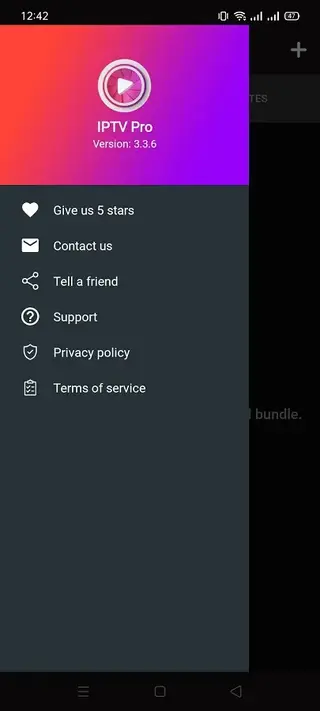
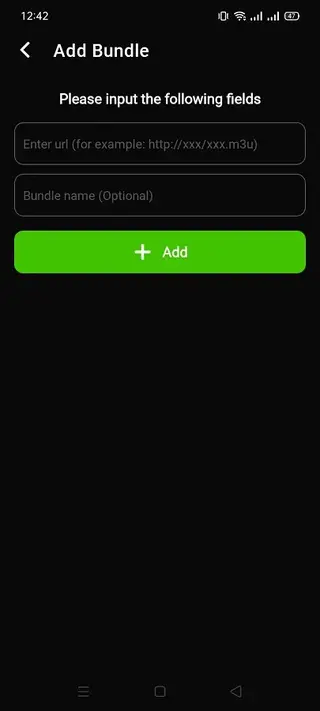
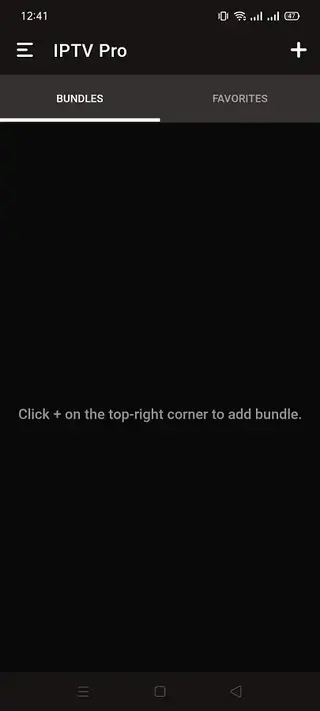
Supported Devices and Compatibility
IPTV Playlist M3U is designed for Android devices running version 5.0 and above. It works on many phones, tablets, and Android TV boxes that allow APK installation from outside the Play Store.
Performance will depend on your device hardware and network connection. For a smoother experience, it is recommended to use a stable broadband or Wi Fi connection and avoid running too many apps in the background while streaming.
Tips for Better Streaming Performance
To get the best viewing experience with IPTV Playlist M3U, pay attention to both your playlists and your network quality. Choose playlists that are regularly updated and maintained so you avoid dead or offline channels.
On the network side, use a reliable internet connection and, when possible, connect your device to a high speed Wi Fi network. Lowering the stream resolution in your playlist or app settings can also help if you experience buffering.
Safety and Legal Considerations
IPTV Playlist M3U is an IPTV player, not a content provider. You are responsible for the playlists and streams that you add to the app. Always follow the laws in your country and use IPTV sources that you are legally allowed to access.
Before installing any APK file, review the app permissions during installation and only install apps that you are comfortable using on your device.
FAQs
Pros
- Lets you add and manage your own IPTV M3U playlists
- Built in video player keeps everything in a single app
- Simple interface that is easy to navigate for new users
- Supports channels from multiple countries depending on your playlists
- Lightweight app that works on a wide range of Android devices
Cons
- Does not provide any channels or playlists by default
- Requires a stable internet connection for smooth streaming
- Not available on the official Google Play Store
- Some playlists may contain broken or unstable streams
Conclusion
IPTV Playlist M3U is a straightforward IPTV player for users who already have or plan to use M3U playlists. By downloading the APK from our website, you can install it on compatible Android devices and quickly set up your own channel lists for live TV streaming with a simple, built in player.




Comments
No approved comments yet.