
JM Tools
JM Tools is a graphics and performance optimizer for Android gamers who want smoother gameplay and more control over visual settings. It focuses on fine-tuning game graphics and device performance in a simple way.
With options for resolution, FPS, style, shadows and more, JM Tools helps you match game settings to your device capabilities. You can also use built-in booster tools to clear cache and reduce lag during long gaming sessions.
You can download the official JM Tools APK directly from our website and start adjusting your favorite games with just a few taps.
As you know, there are multiple Android games available on the web, which you can play on your Android. Most of these games provide high skills, but there are multiple factors available in any game. GFX Tools such as GFX TOOL BGMI and Headshot GFX Tool also provide unique features. Try the available unique functions of this tool for gamers.
Rate this app
App details
- App name
- JM Tools
- Category
- Tools
- Version
- v3.4.0
- Size
- 13.25 MB
- Requirements
- 5.1 and Up
- Package name
- app.rizqi.jmtools
- Publisher
- Rizqi dD - Apps
- Price
- Free
- Mod
- No
- Downloads
- 51,991
- Rating
- 4.0 / 5
- Rating count
- 21,000
- Play Store
- No
- Requires root
- No
- Offline support
- Yes
- Contains ads
- Yes
- In-app purchases
- No
- Updated
- May 12, 2026
- Age rating
- Rated for 3+
Table of contents
What is JM Tools Android App
JM Tools is an Android utility app designed for mobile gamers who want deeper control over game graphics and performance. Instead of relying only on the in-game settings, you can use this tool to apply custom configurations that better fit your device and your play style.
The app focuses on three main areas: graphics tweaking, lag reduction, and device boosting. You can change resolution, graphics quality, frame rate, style, shadows, and other visual options that many games lock behind limited presets. This helps you find a balance between image quality and smooth performance.
JM Tools also includes features aimed at popular shooters such as PUBG Mobile, offering dedicated configuration sections to quickly apply optimized settings. In addition, the built-in booster scans for unnecessary cache files and background tasks so your device can free up resources before you start gaming.
The app runs on Android 5.1 and above, and it works without root access. Once installed, you can open your target game after applying your preferred configuration from JM Tools.
Why Download JM Tools APK from Our Site
Downloading JM Tools APK from our website gives you quick access to the latest available version of the app in a single click. The installation file is ready to use on Android mobiles and tablets running Android 5.1 or higher.
By getting the app directly from our site, you can keep your gaming toolbox up to date and apply new optimization options as they are introduced. You do not need to search multiple pages or stores every time you want to reinstall or upgrade.
Once downloaded and installed, you can immediately start adjusting graphics profiles, enabling zero lag modes, and running device boosts before launching your favorite games.
How JM Tools Helps Mobile Gamers
Modern Android games can be demanding, especially on mid-range and older devices. JM Tools gives you practical controls to adapt those games to your hardware so you do not have to tolerate constant stutters or overheating.
By lowering or fine-tuning resolution, graphics quality, and FPS, you can gain smoother matches and more stable gameplay. On capable devices, you can also push visuals higher than the default presets to enjoy sharper textures and better effects where supported.
The zero lag modes and booster options are especially useful before ranked matches or long sessions. Clearing cache, limiting background load, and using balanced profiles helps reduce random frame drops and gives a more consistent feel during play.
For players who regularly switch between titles or game versions, the dedicated sections, such as the PUBG Mobile GFX panel, make it easier to reapply working setups without manually changing every single slider each time.
How to Download and Install JM Tools APK
You can get the official JM Tools APK directly from our website and install it manually on your Android device. Follow these steps to start using the app.
Scroll to the download section on this page and tap the JM Tools APK download button.
Wait for the APK file to finish downloading to your Android phone or tablet.
Open your device settings and enable installation from unknown sources if it is disabled.
Locate the downloaded APK file in your Downloads folder and tap it to start installation.
Follow the on-screen prompts to complete the setup and grant the requested permissions.
Launch JM Tools, choose your target game, configure graphics or booster settings, and then open the game to test the changes.
Features
Advanced graphics controller
Adjust resolution, graphics quality, FPS, style, shadows, and animations for supported Android games using a single control panel.
Zero lag mode profiles
Use predefined low-lag profiles that balance performance and visuals according to your device capabilities to reduce stutter while playing.
Dedicated PUBG GFX section
Access a special configuration area for PUBG Mobile where you can pick your game version and quickly apply custom GFX settings.
Device and game booster
Scan your phone for unnecessary cache files and temporary data, then clear them to free RAM and storage before gaming sessions.
Simple interface for gamers
Navigate a clean, straightforward layout where main tools are grouped clearly so even new users can apply changes in a few taps.
Per-device compatibility focus
Match visual settings to low-end, mid-range, or higher-end devices so you can target smoother performance or better image quality.
One-tap optimization
Trigger quick boost or zero lag options with a single tap instead of tuning every graphics element manually.
Free to use tool
Use the primary optimization and boosting features without paying, making it accessible for a wide range of Android gamers.
Screenshots
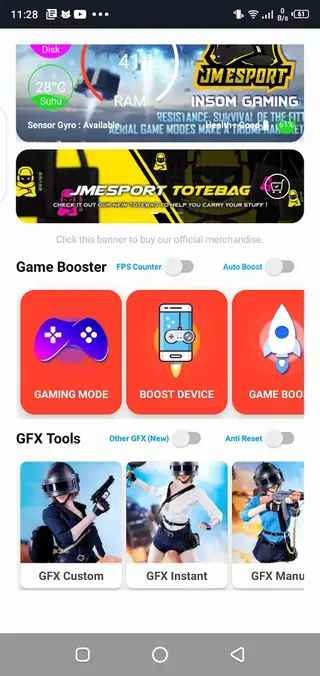
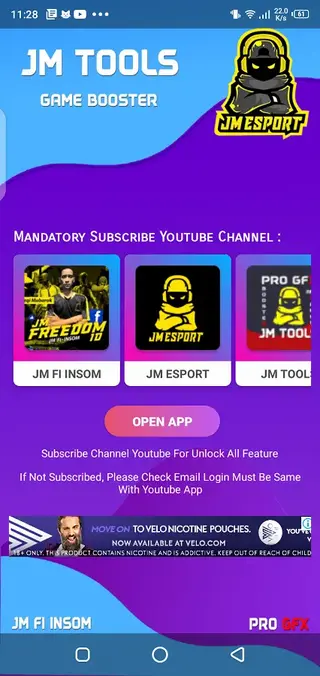
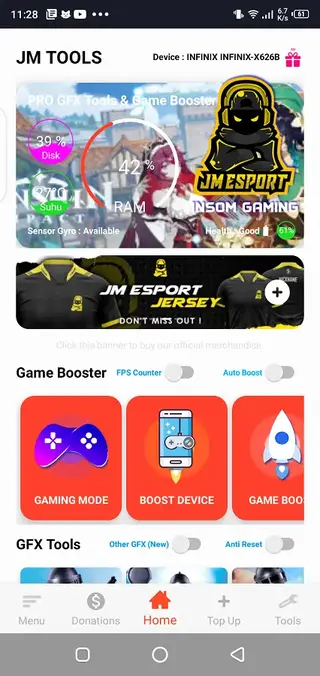
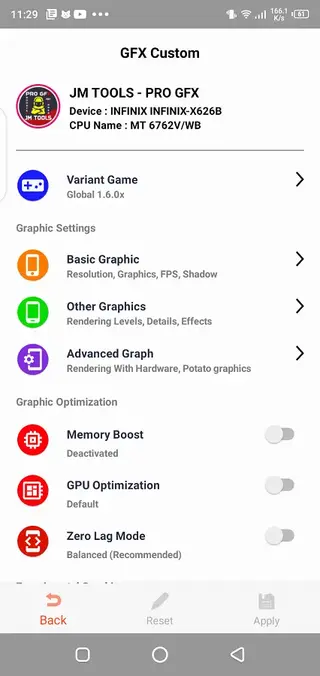
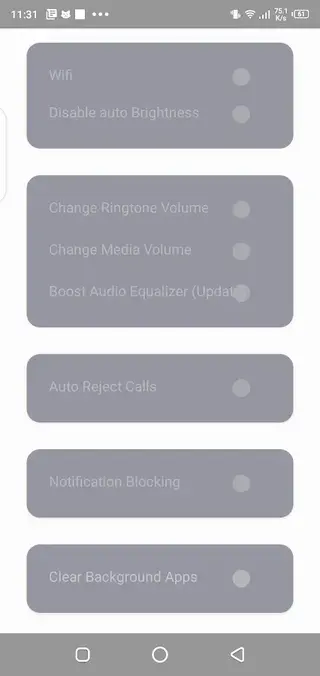
Graphics Controls and Resolution Options
JM Tools gives you access to graphics parameters that matter most for gameplay. You can change resolution to lower the pixel count on weaker devices or keep it high when your hardware can handle more detail. Adjusting graphics presets and textures lets you find a comfortable middle ground between visual clarity and frame rate.
The FPS setting is especially important for competitive titles. Higher frame rates can feel smoother and more responsive, while slightly reducing graphics quality can often unlock better FPS on mid-range phones. JM Tools allows you to experiment with these tradeoffs without digging through complex menus.
Using Zero Lag Mode Effectively
Zero lag mode in JM Tools is designed for players who prioritize smooth play over maximum visual quality. When you enable it, the app applies a set of balanced options that generally lower demanding effects, tone down resolution, and aim for consistent performance.
This mode is useful before online matches or tournaments where frame drops are more disruptive than slightly lower graphics. You can still refine the profile further, but the default presets provide a fast starting point for most users.
PUBG GFX Customization
For PUBG Mobile fans, JM Tools includes a dedicated GFX panel. You can select the specific PUBG version you use and then unlock a tailored group of options such as FPS caps, style themes, shadow controls, and more. This helps you quickly replicate known working setups across updates.
After choosing and applying a profile, you simply open PUBG Mobile and check whether the performance and visuals feel better for your device. You can return to JM Tools at any time to fine-tune or reset the changes.
Device Booster and Cache Cleaner
Performance problems do not come only from game graphics. Over time, Android devices collect cache files and background processes that slow everything down. JM Tools addresses this with a device booster that scans for unnecessary cache and lets you clear it with one tap.
Running the booster before launching your favorite game can free some RAM and storage, which may reduce random slowdowns and keep temperatures slightly more stable during long sessions.
Tips for Safe Optimization
When you start using JM Tools, apply changes gradually. Begin with moderate tweaks to resolution and FPS, then test your game for several minutes. If it remains stable and feels better, you can adjust further. If you notice crashes or glitches, revert to lighter settings or the default profile.
This step-by-step approach helps you find the best configuration for your device without pushing it beyond what your hardware and games comfortably support.
FAQs
Pros
- Offers detailed graphics controls beyond standard in-game settings
- Includes special configuration panel for PUBG Mobile players
- Provides zero lag modes for smoother performance on low-end devices
- Built-in booster helps clear cache and free resources before gaming
- Works without root access on Android 5.1 and above
- Simple interface makes setup quick even for new users
Cons
- Misconfigured settings may cause instability or crashes in some games
- Not all games fully support every graphics adjustment option
- Contains in-app advertisements while you use the tool
- Results can vary depending on device hardware and game updates
Conclusion
JM Tools is a practical graphics and performance helper for Android gamers who want more control over how their games run. By combining GFX tweaks with booster tools, it helps you tune gameplay to your device and reduce lag. You can download the latest JM Tools APK directly from our website and start experimenting with settings that match your hardware and play style.




Comments
No approved comments yet.