
GFX TOOL BGMI
GFX TOOL BGMI is an Android utility that helps you fine tune Battlegrounds Mobile India graphics, resolution, FPS and sensitivity for smoother matches. It focuses on giving more control to players, especially on low and mid-range devices.
With this tool you can quickly apply custom visual settings before launching BGMI, reduce lag, and balance quality with performance. The APK file is available directly on our website so you can download and install it without searching elsewhere.
If you want more consistent frame rates, less stutter, and flexible sensitivity options while playing BGMI, this graphics tool offers a simple interface with clearly labeled options that are easy to adjust.
Rate this app
App details
- App name
- GFX TOOL BGMI
- Category
- Tools
- Version
- v2.0
- Size
- 4.33 MB
- Requirements
- 4.4 and Above
- Package name
- com.parustudio.gfxtoolbattleground
- Publisher
- Paru Studios
- Price
- Free
- Mod
- No
- Downloads
- 62,494
- Rating
- 4.4 / 5
- Rating count
- 9,162
- Play Store
- No
- Requires root
- No
- Offline support
- Yes
- Contains ads
- Yes
- In-app purchases
- No
- Updated
- May 11, 2026
- Age rating
- Rated for 3+
Table of contents
What is GFX TOOL BGMI App?
GFX TOOL BGMI is a configuration tool created for Battlegrounds Mobile India players who want more control over in-game visuals and touch response. Instead of relying only on the default BGMI settings, you can use this app to customize resolution, graphics presets, FPS limits, shadows, anti-aliasing and sensitivity before you start the game.
The app targets Indian BGMI users, especially those playing on entry-level or older Android phones where the game may lag or stutter. By reducing resolution or disabling heavy effects, you can often get a smoother experience without changing your device.
GFX TOOL BGMI works as a launcher-style companion. You choose your preferred graphics and performance options inside the tool, apply them, and then open BGMI with those configurations. The interface is simple and organized so that even casual players can understand what each option does.
If you are not satisfied with the available services, then don’t worry. We have some similar tools, which you can use to access similar services. Get Headshot GFX Tool and GFX Tool For PUBG Lite, which provides more features for the users.
Why Download GFX TOOL BGMI APK?
Players download GFX TOOL BGMI to gain finer control over BGMI performance than the stock settings allow. Many mid and low-end devices struggle with high graphics, which leads to lag, frame drops and delayed touch response. This app lets you scale the game down or up depending on what your hardware can handle.
Another reason to use the APK version is availability. The app has been removed from Google Play in the past, so getting the installer directly from our website ensures you can still access the latest shared build. You can keep a backup of the APK and reinstall it whenever you need.
Because the tool focuses on clear, well-structured options, you can quickly experiment with different profiles. Whether you want maximum FPS for competitive play or a more cinematic look with higher graphics, GFX TOOL BGMI gives you a flexible way to tune BGMI around your priorities.
How GFX TOOL BGMI Helps BGMI Players?
GFX TOOL BGMI is useful because it bridges the gap between BGMI’s basic settings and what your device can actually deliver. Many players simply leave graphics on default and then struggle with lag. With this tool, you can match resolution and FPS to your processor, GPU and network quality.
You can lower resolution to reduce load, unlock higher FPS options if your device can support them, and toggle features like HDR, shadows and anti-aliasing. This can make aiming smoother, improve reaction times and reduce distractions from visual clutter.
The app also pays attention to sensitivity. By giving you more consistent touch behavior alongside improved frame rates, it can help you maintain better control in close-range fights and long-range sprays. All of this is handled from a single panel so you do not have to dig through complex menus every time.
How to Download and Install GFX TOOL BGMI APK?
You can get the GFX TOOL BGMI APK directly from our website without using any other source. Follow these simple steps to download and install it on your Android device.
Scroll to the download area on this page and tap the available GFX TOOL BGMI download button.
Confirm the download in your browser and wait until the APK or XAPK file is saved on your device.
Open your phone settings and enable installation from unknown sources for your browser or file manager if needed.
Locate the downloaded file in your downloads folder and tap it to start the installation process.
Follow the on screen prompts to complete installation, then open GFX TOOL BGMI from your app drawer.
Configure your preferred BGMI graphics and FPS settings inside the tool and launch the game from there.
Whenever a newer version is shared, you can return to our website, download the updated file and install it over the existing one to keep your tool current.
Features
Custom BGMI resolution control
Adjust BGMI resolution to match your device capabilities, from lower settings for weak hardware to higher options for sharper visuals.
FPS and frame rate tweaks
Select different frames-per-second levels to aim for smoother motion and more responsive gameplay where your device supports it.
HDR and graphics profile options
Enable or disable HDR and choose suitable graphics levels to balance visual quality with performance stability.
Shadow and detail adjustments
Turn off or reduce shadows and extra details to cut GPU load and help reduce lag during intense matches.
Anti aliasing management
Control anti aliasing to either sharpen edges for clarity or disable it to gain extra performance on low end phones.
Sensitivity related improvements
Fine tune overall sensitivity behavior in combination with better FPS for more consistent aiming and movement control.
Simple and clean interface
Use a straightforward layout with clearly labeled options so even new users can configure BGMI quickly.
Fast configuration apply process
Apply your chosen settings in a few taps and then launch BGMI with those graphics preferences active.
Screenshots
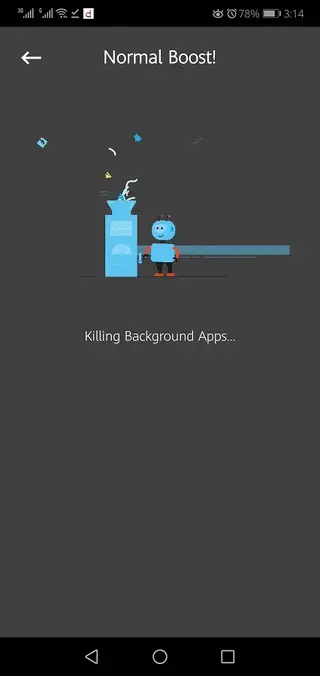
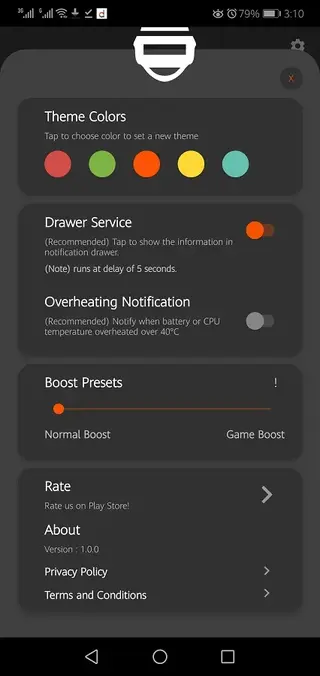
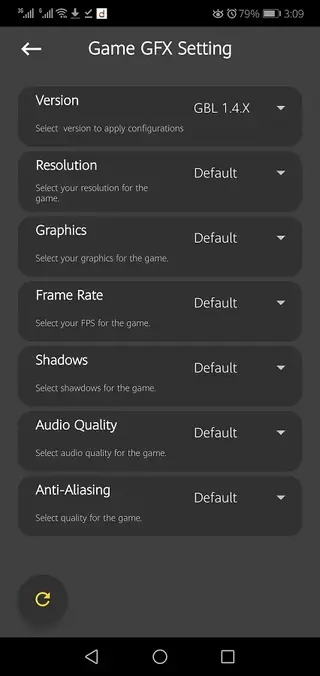
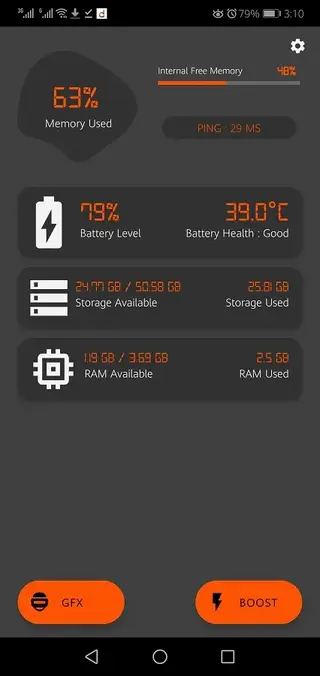
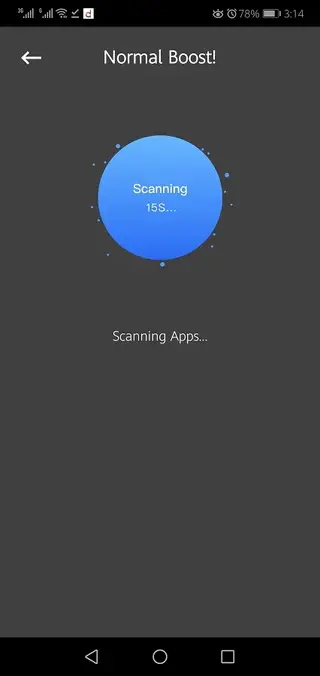
Is GFX TOOL BGMI Safe to Use
GFX TOOL BGMI works by changing configuration options related to graphics and performance. It does not claim to offer cheats, aimbots or any unfair advantages, and it focuses only on visual and sensitivity tuning.
As with any third party utility that interacts with a popular online game, you should use it responsibly and at your own discretion. Avoid extreme or unstable configurations that might cause crashes, and keep the app updated when new builds become available on our website.
Tips for Getting Better Performance With GFX TOOL BGMI
To get the most out of GFX TOOL BGMI, start with conservative settings and then adjust upward. For example, choose a lower resolution, disable shadows and anti aliasing, and set FPS to a level your phone can handle consistently.
Play a few matches to see how your device performs. If gameplay feels stable, you can slowly raise graphics quality or FPS. If you notice lag or heating, step back one level. This gradual tuning approach helps you find the best balance between smoothness and visual clarity.
FAQs
Pros
- Lets players customize BGMI resolution and graphics beyond default options
- Can improve performance and reduce lag on low and mid range Android devices
- Simple interface makes configuration quick even for new users
- Supports multiple FPS, HDR, shadows and anti aliasing adjustments
- APK is available directly on the website even if not listed on Google Play
Cons
- Misconfigured settings may cause crashes or unstable performance
- Not an official Krafton or BGMI tool
- Effectiveness depends heavily on individual device hardware
- May stop working properly after major BGMI or Android updates
Conclusion
GFX TOOL BGMI gives Battlegrounds Mobile India players more control over graphics, FPS and sensitivity so they can tune the game for their device. If you want to experiment with different performance profiles, you can download the APK from our website, test various configurations and keep the ones that make your gameplay smoother and more consistent.




Comments
No approved comments yet.