
Samsung Health Monitor
Samsung Health Monitor is Samsung’s companion health app that works with compatible Galaxy Watch models to record ECG and blood pressure from your wrist. It brings key cardiovascular metrics to your phone in a clear and simple dashboard.
With guided measurements, automatic rhythm analysis and exportable reports, the app helps you follow your heart health and share summaries with your doctor when needed. You can download the official Samsung Health Monitor APK directly from our website and install it on supported Android devices.
The app is designed for adults and does not replace professional diagnosis, but it can be a practical tool to track readings over time and stay more aware of your daily health trends.
We all face various types of problems in our lives. In this day and age, there are a variety of problems that people need to deal with as quickly as possible. One of the most important factors is maintaining contact with your physician. We are delighted to provide you with an amazing app in addition to Careplex Vitals and iVibrate.
https://apkoll.com/samsung-health-monitor-apk/
Rate this app
App details
- App name
- Samsung Health Monitor
- Category
- Health & Fitness
- Version
- v1.4.7.003
- Size
- 92.58 MB
- Requirements
- 7.0 and Above
- Package name
- com.samsung.android.shealthmonitor
- Publisher
- Samsung
- Price
- Free
- Mod
- No
- Downloads
- 623,558
- Rating
- 4.5 / 5
- Rating count
- 36,542
- Play Store
- No
- Requires root
- No
- Offline support
- Yes
- Contains ads
- No
- In-app purchases
- No
- Updated
- May 16, 2026
- Age rating
- Rated for 3+
Table of contents
What is Samsung Health Monitor?
Samsung Health Monitor is a health-tracking application developed by Samsung for use with selected Galaxy Watch and Galaxy Watch Active devices. After you pair a compatible watch with your Android phone, the app receives ECG and blood pressure data from the watch and organizes it into easy-to-read reports.
The app focuses on heart health. You can perform an ECG reading on your watch, check for signs of atrial fibrillation or normal sinus rhythm, and view the full waveform on your phone. If your watch supports blood pressure monitoring, you can also track estimated systolic and diastolic values once you have calibrated the watch with a certified cuff.
Samsung Health Monitor runs alongside the regular Samsung Health app. Samsung Health covers fitness, steps, workouts and sleep, while Samsung Health Monitor is dedicated mainly to ECG and blood pressure features that require regulatory approval and specific sensors in the watch.
Why download Samsung Health Monitor APK for Android?
Installing the Samsung Health Monitor APK on your Android phone lets you unlock the ECG and blood pressure functions that are built into many recent Galaxy Watches. Without this companion app on the phone, those advanced measurements either do not work or remain limited.
By using the APK from our website, you can set up Samsung Health Monitor on a wide range of Galaxy smartphones that meet the minimum Android version requirement. Once paired with a compatible watch, you get real-time results, history graphs and sharable PDF reports directly on your device.
This is especially useful if you want to keep a personal record of heart rhythm checks, monitor blood pressure trends between doctor visits, or quickly show your recent readings during consultations without carrying extra paper logs.
How is Samsung Health Monitor useful?
The app turns your Galaxy Watch into a compact monitoring tool that you can use throughout the day. Instead of visiting a clinic for every check, you can run an ECG or blood pressure reading on your wrist in a few seconds and review the results instantly on your phone.
Samsung Health Monitor classifies ECG measurements into categories such as sinus rhythm, atrial fibrillation or inconclusive / poor recording. This helps you understand when your heartbeat looks normal and when you might need medical advice. For blood pressure, the app keeps a timeline of readings so you can see how values change over weeks or months.
Another practical feature is report sharing. You can generate a PDF that includes ECG waveforms, heart rate, classification and a list of recent readings. This file can be sent to your healthcare provider so they can review your data in context, which is far easier than trying to remember numbers from memory.
Despite these advantages, the app does not replace medical equipment or professional diagnosis. Readings may be affected by movement, poor contact or incorrect positioning, so you should always confirm concerning results with your doctor and follow their instructions.
How to download and install Samsung Health Monitor APK
You can download the official Samsung Health Monitor APK file directly from our website and install it on your Android phone. Make sure your device meets the minimum Android version requirement before you start.
Follow these steps to get started:
Scroll to the download section on this page and tap the APK download button for Samsung Health Monitor.
Wait until the APK file finishes downloading to your Android device.
Open your phone settings and enable app installation from unknown sources for your browser or file manager, if it is not already enabled.
Locate the downloaded APK in your Downloads folder and tap it to start the installation.
Confirm the on-screen prompts to complete installation.
Open Samsung Health Monitor, sign in with your Samsung account and pair it with your compatible Galaxy Watch.
After setup, you can start running ECG and blood pressure measurements from your watch and manage the results through the app on your phone.
Features
ECG measurement from Galaxy Watch
Record a single-lead ECG using a compatible Galaxy Watch and view the waveform and heart rate on your paired Android phone.
Heart rhythm classification
Automatically classify ECG results as sinus rhythm, possible atrial fibrillation or poor recording based on the captured signal.
Blood pressure tracking
Track estimated systolic and diastolic blood pressure when used with supported watches that have been calibrated with a cuff device.
Measurement history and trends
Store past readings in a structured timeline so you can review changes and identify long-term patterns in heart health.
PDF report export
Convert ECG measurements and summaries into PDF reports that you can share with doctors or save for your records.
Galaxy Watch integration
Works closely with Galaxy Watch sensors and Samsung Health to sync measurements, personal details and device settings.
User-friendly interface
Simple screens, clear labels and color-coded results make it easy for non-technical users to understand each measurement.
Notifications and reminders
Set reminders to take regular blood pressure or ECG readings to build a more consistent tracking routine.
Screenshots
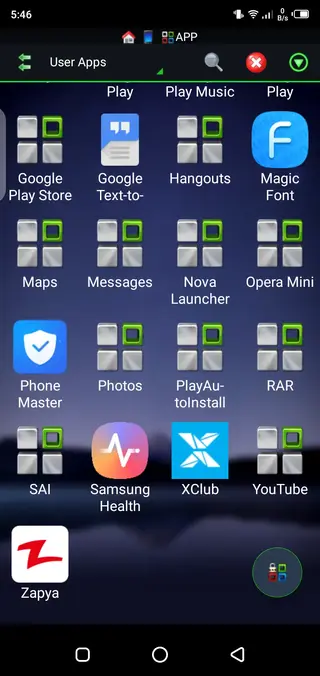
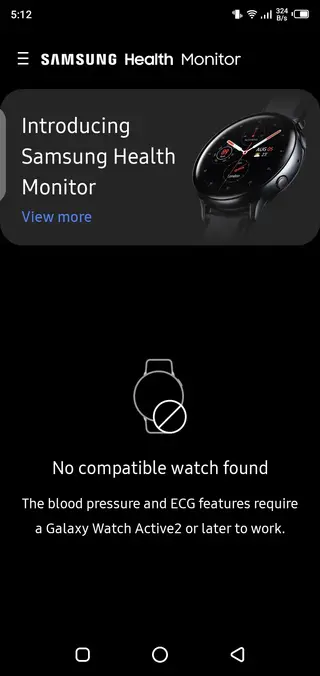
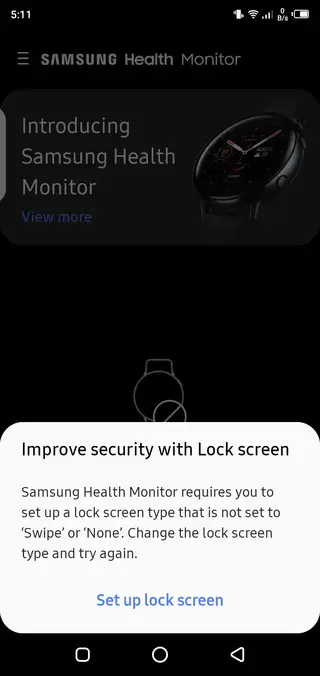
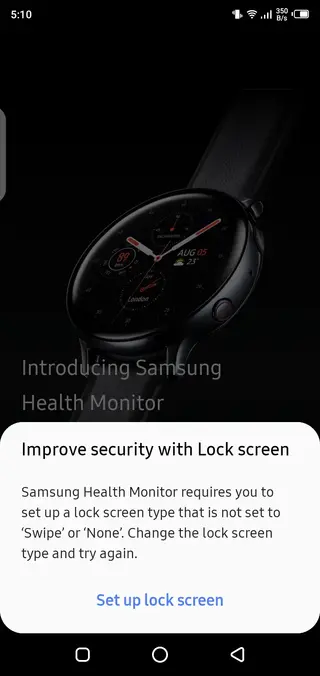
Compatibility and device requirements
Samsung Health Monitor is designed for Samsung Galaxy phones running at least Android 7.0 and for selected Galaxy Watch models that include ECG and blood pressure sensors. The exact list of supported watches and regions can change over time as Samsung adds approvals and updates.
To get reliable measurements, you must complete watch calibration for blood pressure using a standard cuff monitor as guided inside the app. You also need to wear the watch correctly on your wrist and remain still during each reading.
ECG results and common classifications
When you record an ECG, Samsung Health Monitor analyzes the electrical activity and returns a simple classification. A sinus rhythm result usually means your heart rate falls in a typical range and follows a regular pattern. Atrial fibrillation suggests an irregular rhythm that you should discuss with a healthcare professional.
If the app reports a poor recording, it may be due to movement, loose strap, improper finger placement or electrical interference. In that case, follow the on-screen instructions, adjust the watch and try again. If you still feel unwell despite normal readings, seek medical advice regardless of the app’s result.
Best practices for accurate readings
For more consistent results, sit comfortably with your back supported and feet flat on the floor before taking a measurement. Relax your arm on a table at heart level, avoid talking and keep movement to a minimum. Make sure the watch fits snugly but comfortably on your wrist.
Regular measurements taken under similar conditions are more useful than occasional checks done in a hurry. Use Samsung Health Monitor as a tool to build a routine, then review the long-term patterns with your doctor.
FAQs
Pros
- Provides ECG and blood pressure monitoring with compatible Galaxy Watches
- Shows clear heart rhythm classifications and readable graphs
- Exports ECG and blood pressure summaries as PDF reports for doctors
- Integrates tightly with Samsung Health and Galaxy ecosystem
- No ads in the core Samsung Health Monitor experience
- Simple interface that is easy to navigate for most users
Cons
- Requires a compatible Galaxy Watch and supported region for full features
- Does not replace professional medical diagnosis or certified equipment
- Some users may experience inaccurate or poor recordings if the watch is not positioned correctly
- Features and availability can vary by country and device model
Conclusion
Samsung Health Monitor is a focused companion app for Galaxy Watch owners who want convenient access to ECG and blood pressure tracking on Android. It offers clear reports, history and sharing options, but it should only be used as a supportive tool alongside regular medical care and professional advice.




Comments
No approved comments yet.