

Sensibilidade FF
Sensibilidade FF Pro is an Android helper tool created for Garena Free Fire players who want faster aim control and smoother gameplay. It focuses on adjusting in-game sensitivity values beyond the default settings.
With this app, you can fine-tune camera and scope movement, improve red dot tracking, and try to reduce lag on low or mid-range devices. The APK is available on our website, so you can download it directly and start testing different sensitivity profiles.
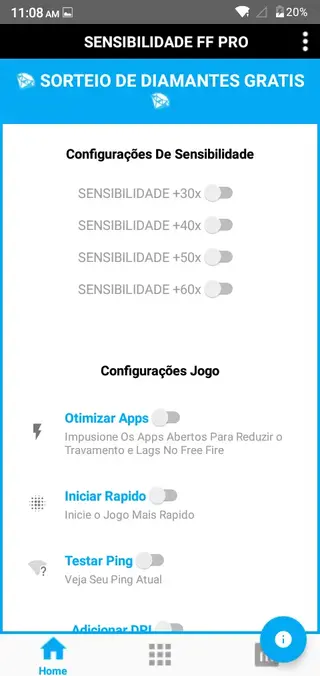
The interface is simple and mostly in Portuguese, but the sliders and options are easy to understand once you start using them. You can adapt each value to match your playstyle, whether you prefer close-range rush or long-range sniper fights.
Rate this app
App details
- App name
- Sensibilidade FF
- Category
- Tools
- Version
- v19.18
- Size
- 15.42 MB
- Requirements
- 5.0 and Above
- Package name
- com.sensibilidade.freefire.pro.apps
- Publisher
- Caiozin FF
- Price
- Free
- Mod
- No
- Downloads
- 61,969
- Rating
- 4.6 / 5
- Rating count
- 21,850
- Play Store
- No
- Requires root
- No
- Offline support
- Yes
- Contains ads
- No
- In-app purchases
- No
- Updated
- Jun 5, 2026
- Age rating
- Rated for 3+
Table of contents
What is Sensibilidade FF Pro
Sensibilidade FF Pro is a free Android configuration tool designed for Garena Free Fire players. Instead of being a separate game, it works as an external utility where you adjust sensitivity sliders and performance options, then apply those settings before launching Free Fire.
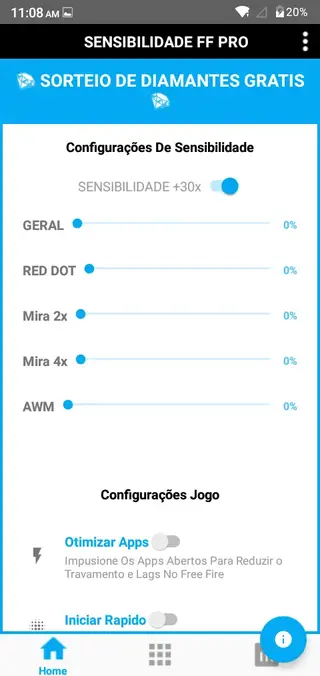
The app focuses on increasing sensitivity for general camera movement, red dot, 2x, 4x, and 6x scopes, as well as AWM and long-distance aiming. Many users use it to create custom settings that help them react faster, control recoil better, and line up headshots more easily.
Sensibilidade FF Pro also includes simple options that attempt to reduce lag, which can be useful on older or lower-end phones. The tool is mainly available in Portuguese, but its layout is straightforward enough that most players can figure out which slider controls which sensitivity value.
It is an unofficial helper app and not developed by Garena, so it only provides configuration options and does not change the original Free Fire files. You simply open Sensibilidade FF Pro, adjust the values, apply them, and then play with your new setup.
A current version of this tool is available in Portuguese, which can be difficult to understand for those unfamiliar with it, but is easy enough to use due to the friendly interface. The last thing about this tool is that it is not an official game development tool. Get settings in the canto superior direito and make changes or try other Sensi tools like Sensi E.B.G.R & Pirata Sensi.
Why download Sensibilidade FF Pro APK
Players download Sensibilidade FF Pro because they want more control over how Free Fire feels on their device. The in-game sensitivity menu is limited, and it can be hard to find precise combinations that match different devices, screen sizes, and playstyles.
By installing the APK directly from our website, you can experiment with a wider range of sensitivity values and save time compared with manual trial and error inside the game. You can quickly raise or lower general movement, red dot speed, and each scope level until you find a balanced setup.
The app is also popular among users who experience delay or lag. Its simple adjustment options may help make gameplay feel smoother on some devices, especially when combined with sensible graphics settings inside Free Fire. For many players, that combination of finer control and potential fluidity is enough reason to try it.
How Sensibilidade FF Pro can be useful
Sensibilidade FF Pro can be useful if you struggle with slow crosshair movement, inconsistent aim, or delayed reactions in Free Fire. Instead of forcing yourself to adapt to a single sensitivity profile, you can tune every element until aiming feels natural.
For aggressive players, higher settings can speed up camera turns and help with quick 180-degree reactions in close combat. For snipers, separate scope controls make it easier to fine-tune long-range precision without ruining hip-fire stability.
The app also helps new players understand how different sensitivity zones affect gameplay. By adjusting and testing one slider at a time, you learn the impact of general camera, red dot, and each scope level, which makes future adjustments much easier.
Because the interface is simple and lightweight, you can open it before each session, tweak values for a new device or control style, and then go back into Free Fire with an updated configuration that feels better suited to your current setup.
How to download and install Sensibilidade FF Pro APK
You can get the official Sensibilidade FF Pro APK file directly from our website. Follow these steps to download and install it on your Android device:
Scroll to the download section on this page.
Tap the APK download button for Sensibilidade FF Pro.
Wait until the APK file finishes downloading to your device.
Open your phone settings and enable installation from unknown sources if it is disabled.
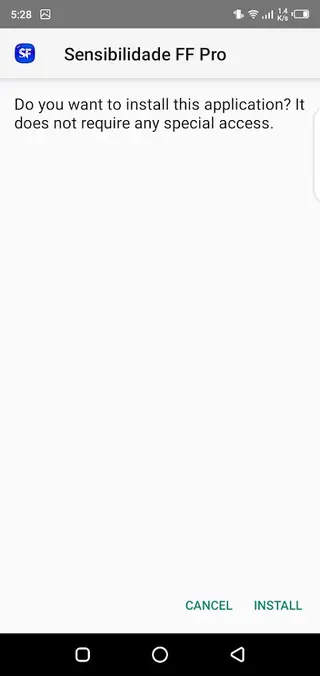
Locate the downloaded APK in your notifications or file manager and tap it.
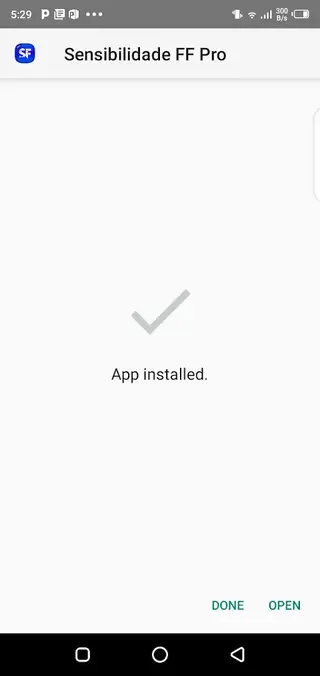
Confirm the installation prompt and wait for the app to install.
Launch Sensibilidade FF Pro, adjust the sensitivity values, and then start Free Fire to test your new setup.
If the APK does not install correctly, check that your Android version meets the minimum requirement and that you have enough free storage space, then try the installation again.
Features
Advanced sensitivity adjustments
Fine-tune general camera, pickup, look, tap timing, and aiming sensitivity beyond the default Free Fire options.
Scope-specific controls
Individually adjust Mira 2x, Mira 4x, Mira 6x, red dot, and AWM sensitivities for different combat ranges.
High sensitivity range
Increase responsiveness up to around 30x to 60x to make crosshair movement faster if your device and playstyle support it.
Lag-reduction focus
Includes basic options intended to help reduce stutter and make gameplay feel smoother on some Android devices.
Manual configuration system
Set each sensitivity slider according to your own preferences instead of relying on a single global preset.
Headshot-oriented tuning
Adjust values to make vertical and horizontal movements more consistent when trying for headshots.
Support for multiple playstyles
Create settings that suit rush, mid-range, or long-range gameplay by balancing scope and general sensitivities.
Lightweight and simple UI
User interface is straightforward, with clearly separated sections for each sensitivity area.
Screenshots

Sensitivity options explained
Sensibilidade FF Pro divides sensitivity into several zones so that you can target specific parts of your gameplay. General sensitivity affects free camera movement and how quickly you turn. Red dot sensitivity focuses on short and mid-range fights with the standard sight.
The 2x, 4x, and 6x scope controls are especially important for rifles and DMRs, where over-sensitive values can cause you to overshoot targets. AWM and long-distance sensitivity sliders are meant for sniping, where smaller, more precise movements are often better.
For best results, change one slider at a time and test it in training or casual matches. This approach makes it easier to find a consistent setup and avoids sudden changes that are hard to control.
Tips for finding the best sensitivity settings
There is no universal sensitivity setup that works for every player or device. Instead, it is better to build your own profile gradually.
Start with moderate values and avoid jumping straight to the maximum sensitivity.
Test your new settings in the training ground or against bots before playing ranked.
Adjust general camera first, then red dot, then each scope level.
Note down values that feel comfortable so you can go back if a change does not work.
Give yourself some time to adapt before deciding whether a configuration is right.
With patient adjustment and regular practice, Sensibilidade FF Pro can help you reach a smoother and more stable aiming style that suits your preferences.
FAQs
Pros
- Gives much finer sensitivity control than default game settings
- Lets you adjust separate sensitivity values for each scope and red dot
- Can help some devices feel smoother with reduced lag
- Lightweight app with a simple, easy-to-understand interface
- Available as a direct APK download from our website
Cons
- Interface is mainly in Portuguese, which may confuse some users
- Requires manual tuning and testing to avoid sensitivity that is too high or too low
- Not an official Garena Free Fire tool
- Results can vary depending on device performance and user skill
Conclusion
Sensibilidade FF Pro is a practical helper app for Free Fire fans who want deeper control over sensitivity and aiming feel. By downloading the APK from our website and experimenting with its sliders, you can build a custom configuration that better matches your device and playstyle, potentially improving comfort and responsiveness in every match.




Comments
No approved comments yet.