
Threema
Threema is a privacy-focused messenger that offers end-to-end encrypted chats, voice calls, and video calls on Android phones and tablets. It is designed to keep your personal data as limited and protected as possible.
Instead of relying on phone numbers or email addresses, Threema lets you communicate using randomly generated IDs. Messages, files, and calls stay encrypted, while contact verification and built-in privacy tools give you more control over what you share.
You can download the official Threema APK directly from our website and install the latest available Android version in just a few steps.
Rate this app
App details
- App name
- Threema
- Category
- Communication
- Version
- v6.4.2
- Size
- 41.58 MB
- Requirements
- 4.1 and Up
- Package name
- ch.threema.app
- Publisher
- Threema GmbH
- Price
- Free
- Mod
- No
- Downloads
- 120,004
- Rating
- 4.6 / 5
- Rating count
- 35,000
- Play Store
- Yes
- Requires root
- No
- Offline support
- Yes
- Contains ads
- No
- In-app purchases
- Yes
- Updated
- Jun 2, 2026
- Age rating
- Rated for 3+
Table of contents
What is Threema APK
Threema APK is the Android installation package of the Threema messenger, a secure communication app developed by Threema GmbH. The app focuses on privacy, data minimization, and strong end-to-end encryption for all core features, including text chat, voice calls, video calls, group chats, and file sharing.
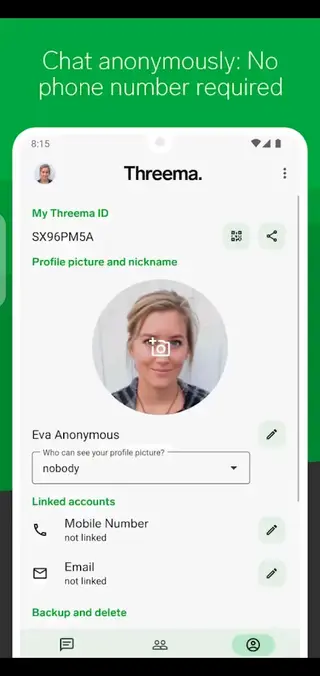
When you create a Threema ID, you are not forced to provide a phone number or email address. Instead, the app generates a random ID that you can share with your contacts. This approach reduces the amount of personal data that is stored and linked to your identity.
Threema Android is the first available mobile application offering high-end security services. This mobile APK is specially developed to provide a safe and secure communication platform. Therefore, an advanced-level security system with fast communication. Get more similar services with TeleSafe and Indycall.
Threema also implements security measures such as local encryption of contact lists and chat backups, QR-code based contact verification, and compliance-oriented data handling aligned with European privacy regulations. The APK version allows you to install the app manually on compatible Android devices using the file available on our website.
Why download Threema for Android
Many popular messaging apps are free to use but collect large amounts of personal data for analytics, advertising, or other purposes. Threema takes a different route by minimizing data collection, avoiding ads, and focusing on secure communication.
By downloading the Threema APK for Android, you get direct access to a messenger that encrypts messages and calls end to end, so only you and your contacts can read or listen to them. Registration does not require a phone number, which is useful if you want to keep your identity separate from your conversations.
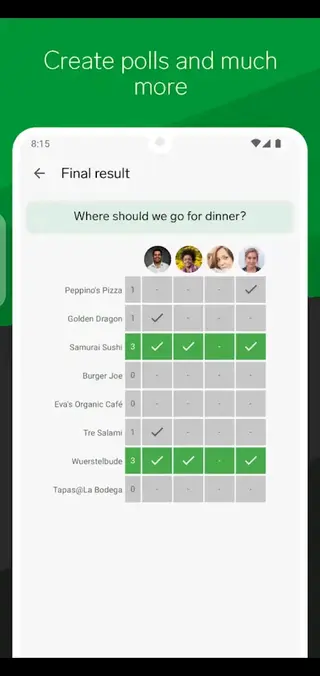
The app also supports group chats, voice messages, media sharing, and polls, making it suitable for everyday chatting, private discussions, and team communication. You can download the official APK file from our website to install or update Threema on your device without waiting for store updates.
How Threema is useful
Threema is useful for anyone who wants a private and secure alternative to mainstream messengers. Journalists, activists, professionals, and privacy-conscious users can use it to reduce exposure of metadata and sensitive information.
The app encrypts content end to end and stores as little data on servers as possible, often only in transit. Contacts and groups are managed locally on your device, which lowers the risk of large-scale data harvesting.
For organizations, Threema offers structured group management, broadcast lists, and optional business solutions. For individuals, it delivers a clean interface, fast messaging, and strong privacy defaults without relying on advertising or invasive tracking.
How to download and install Threema APK
You can get the official Threema APK file directly from our website and install it manually on your Android phone or tablet. Make sure your device meets the minimum Android version shown in the app details.
Follow these steps to download and install:
Scroll to the download section on this page.
Tap the APK download button to start downloading the Threema APK file from our website.
Wait until the download finishes on your device.
Open your device settings and enable installation from unknown sources or allow your browser to install apps.
Locate the downloaded APK file in your Downloads folder or file manager.
Tap the file and follow the on-screen prompts to complete the installation.
Open Threema, create or restore your Threema ID, and start chatting securely.
Features
End-to-end encrypted messaging
All text messages, group chats, voice messages, and shared files are protected with end-to-end encryption so only participants can read them.
Secure voice and video calls
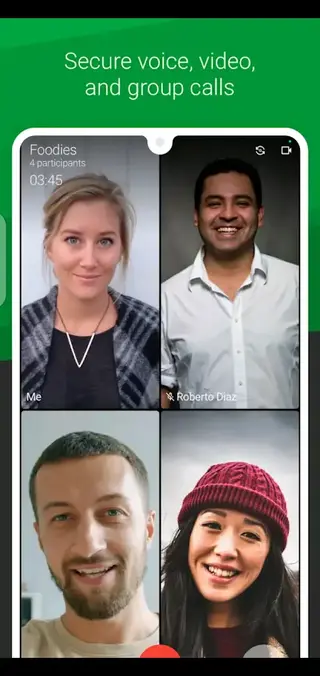
Make encrypted voice and video calls over Wi-Fi or mobile data for private real-time communication.
No phone number required
Create a random Threema ID instead of registering with a phone number or email address to reduce the amount of personal data linked to your account.
GDPR-aware data handling
The service is designed around European privacy principles, including data minimization and transparent processing in line with GDPR requirements.
Local contact and group storage
Contacts and groups are stored on your device rather than on central servers, which limits the data that can be collected about your network.
QR code contact verification
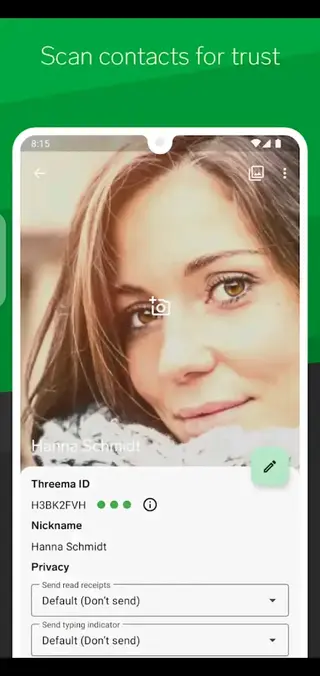
Verify contacts in person by scanning QR codes to reduce the risk of impersonation and man-in-the-middle attacks.
Text, voice, and video chat
Chat with friends and colleagues using text messages, voice notes, and video calls in a single secure app.
Media and file sharing
Send photos, videos, voice notes, and documents with the same encryption as your messages.
Screenshots
Privacy and security approach
Threema is built around the idea that a messenger should collect as little data as possible. Messages are end-to-end encrypted, and data that must be stored temporarily on servers is usually deleted after delivery. Contact lists, group memberships, and profile information are handled locally whenever feasible.
The app supports contact verification through QR codes, which helps you confirm that you are chatting with the right person. Cryptographic protocols and regular security audits contribute to the robustness of the system, making Threema suitable for users with high privacy expectations.
Chat and collaboration features
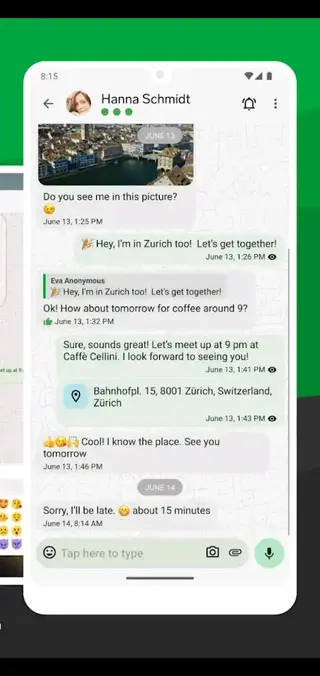
Beyond one-to-one chats, Threema offers group chats, distribution lists, and integrated tools such as polls and read receipts. These features make it practical for families, small teams, and organizations that want a focused communication channel without invasive tracking.
You can share photos, videos, locations, voice messages, and other files directly within conversations. Message formatting, emojis, and media previews help keep chats clear and engaging while still being protected by encryption.
Device compatibility and performance
Threema runs on a wide range of Android devices that meet the minimum version requirement specified in the app details. The app is optimized for everyday use, with quick message delivery, clear audio quality during calls, and an interface that remains responsive on modern devices.
Because much of the data processing happens on your device instead of remote servers, Threema keeps control closer to the user while still providing a smooth messaging experience.
FAQs
Pros
- End-to-end encrypted chats, calls, and file sharing
- No phone number or email required for registration
- No advertising and a strong focus on privacy
- Locally stored contacts and groups reduce data exposure
- Cross-platform support including Android and other systems
Cons
- Requires a one-time purchase or license to use fully
- Smaller user base compared to mainstream messengers
- Some advanced features may require additional purchases or business plans
- Contacts must also use Threema for secure communication
Conclusion
Threema offers a strong balance of usability and privacy for Android users who want secure messaging, calling, and file sharing. You can download the official APK from our website, install it on compatible devices, and use its encryption-focused tools to keep your conversations more private.




Comments
No approved comments yet.