
TweenCraft
TweenCraft is a cartoon video maker app that lets you create simple 2D animations on your Android phone using ready-made characters, props and backgrounds. You can build short stories, skits, memes or explainer videos without any drawing skills.
The app focuses on easy visual tools instead of complex timelines, so beginners can drag, drop and animate in minutes. You can customize characters, record voice lines and export your finished clips to share on social media or messaging apps.
You can download the TweenCraft APK latest version directly from our website and start creating animated videos on any supported Android phone or tablet.
Rate this app
App details
- App name
- TweenCraft
- Category
- Entertainment
- Version
- v1.855.0
- Size
- 162.04 MB
- Requirements
- 5.0 and Above
- Package name
- com.kk.chimpoon
- Publisher
- Tweencraft
- Price
- Free
- Mod
- No
- Downloads
- 112,032
- Rating
- 4.6 / 5
- Rating count
- 57,329
- Play Store
- Yes
- Requires root
- No
- Offline support
- Yes
- Contains ads
- Yes
- In-app purchases
- Yes
- Updated
- May 15, 2026
- Age rating
- Rated for 7+
Table of contents
What is TweenCraft App?
TweenCraft is an Android entertainment and animation app that turns your phone into a simple cartoon studio. Instead of designing everything from scratch, you use pre-built characters, backgrounds and objects, then animate them with intuitive controls.
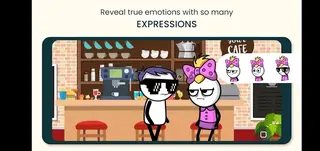
The app provides a library of characters with different looks, outfits and expressions. You can pose them, move them around the screen, switch emotions and sync them with your own recorded voice. This makes it easy to produce story videos, comedy sketches, school projects or social content without advanced editing knowledge.
TweenCraft runs on Android 5.0 and above and is designed for casual creators, students, teachers and content creators who want quick 2D animation. You can install the APK from our website, explore the free tools and optionally unlock extra content through in-app purchases.
We have more applications available for you all here, which you can also get and have fun with. So, if you are willing to get access to more similar apps, then get AnyFace. Both of these are quite popular available applications of all time.
Why Download TweenCraft APK from Our Website?
Downloading the TweenCraft APK from our website lets you install the latest available version directly on your Android device without waiting for store rollouts. You get the official package file linked to the app’s Play Store listing, so you can update or switch between sources whenever you need.
Our download page focuses on Android users who want a straightforward installation experience. You do not need any advanced setup or rooting. Just download the file, enable installs from unknown sources once, and you are ready to start making animated videos.
If you prefer to keep a backup of your favorite apps, having the APK stored locally is also helpful. You can reinstall TweenCraft later on the same device or another compatible phone or tablet.
How TweenCraft Is Useful
TweenCraft is useful for anyone who wants to tell stories visually without learning professional animation tools. You can quickly turn ideas into short cartoons by combining existing characters, scenes and dialogues.
Students and teachers can use it for class presentations, digital storytelling and simple explainer videos. Content creators and social media users can produce skits, reaction cartoons, memes and short episodic content.
Because most elements are drag-and-drop, you spend more time on creativity and script ideas instead of technical setup. Voice recording, lip-sync style dubbing and background music support make it easier to give every scene a complete feel.
How to Download and Install TweenCraft APK
You can get the latest TweenCraft APK file directly from our website and install it manually on any compatible Android device. Follow these steps to complete the process safely.
Scroll to the download section on this page and tap the TweenCraft APK download button.
Confirm the download in your browser and wait until the APK file is fully saved on your device.
Open your phone’s file manager and go to the Downloads folder or the location where the file was saved.
Tap the TweenCraft APK file to start installation.
If this is your first manual install, Android will ask you to allow installs from this source. Enable the option once and return to the installer.
Tap Install and wait for the process to finish.
When the installation completes, tap Open to launch TweenCraft and start creating animated videos.
If you later see an update on our website, you can download the newer APK and install it over the existing app to keep your version current.
Features
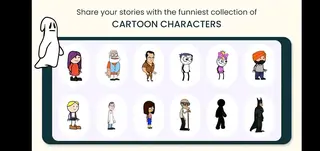
Ready-made character library
Use a wide range of built-in 2D characters with different styles, outfits and expressions so you can start animating without drawing.
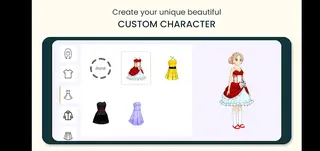
Customizable characters
Adjust character poses, scale, positions and sometimes basic appearance details to match the story or mood of your video.
Pre-designed backgrounds and props
Choose from various indoor, outdoor and fantasy backgrounds along with props to build scenes quickly.
Simple scene-based editor
Create animations scene by scene using drag-and-drop controls instead of complex timeline editing.
Voice recording and dubbing
Record your own dialogues or narration and sync them with characters so they appear to speak your lines.
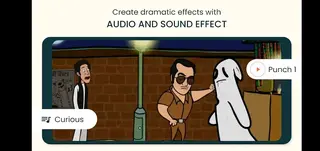
Music and sound effects support
Add background music and effects to make skits, stories and memes more engaging.
Character movements and actions
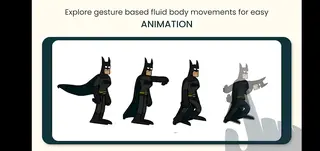
Apply movements, gestures and simple actions to characters to bring each scene to life.
Easy export and sharing
Render your cartoon videos and share them to social media apps, messaging platforms or save them to your device.
Screenshots
Getting Started With Your First Cartoon
After installing TweenCraft, start by creating a new project and choosing an aspect ratio that fits where you plan to share the video. Then pick a background and drag characters into the scene.
Write a short script or idea beforehand so you know what each character should say and do. Record your dialogues scene by scene, adjust character positions, then preview the animation before exporting.
Tips for Better TweenCraft Animations
To make your cartoons more engaging, keep scenes short and focused on one main action or joke. Use different camera angles or zoom levels by adjusting how close characters appear in each scene.
Balance background music with dialogue so voices stay clear. Experiment with character expressions and gestures to match the tone of the line being spoken. Small changes in timing and movement can make the final video feel much more dynamic.
Compatibility and System Requirements
TweenCraft supports Android 5.0 and above, so it works on many smartphones and tablets. For a smoother experience, a device with enough free storage and moderate RAM is recommended, especially when you create longer videos.
If you experience lag while editing or exporting, close other apps running in the background, reduce video length or simplify scenes with fewer active characters.
FAQs
Pros
- Very easy for beginners to create simple 2D animations
- Large selection of built-in characters and backgrounds
- No drawing or advanced editing skills required
- Supports voice recording, dialogues and background music
- Good for school projects, storytelling and social media content
- Runs on a wide range of Android devices from version 5.0 upward
Cons
- Free version content and export options can be limited
- Contains ads during use
- Some characters, scenes and features require in-app purchases
- Complex or professional-level animations are difficult to achieve
- Rendering longer videos may take time on low-end devices
Conclusion
TweenCraft makes entry-level animation accessible to almost anyone with an Android device. If you want a quick way to turn ideas into short cartoon videos using ready-made assets and simple controls, downloading the TweenCraft APK from our website is an easy place to start.




Comments
No approved comments yet.