

WifiMap.io
WifiMap.io is a community-driven WiFi finder and connectivity toolkit that helps you stay online wherever you go. It combines shared hotspot passwords, VPN, and offline maps in one simple Android app.
With millions of access points contributed by users worldwide, you can quickly discover nearby WiFi networks, navigate to them on a map, and connect using shared credentials where available.
You can download the official WifiMap.io APK directly from our website and install it on your Android phone or tablet to start exploring free and public connections around you.
But if you don’t get satisfied, then we have more options available here for you all. You guys can try Pinki Tunnel and Wire Tun, both of these are quite popular tools. So, you can try them on your Android device to access similar services.
Rate this app
App details
- App name
- WifiMap.io
- Category
- Tools
- Version
- v8.6.42
- Size
- 146.52 MB
- Requirements
- 4.4 and Above
- Package name
- io.wifimap.wifimap
- Publisher
- WiFi Map LLC
- Price
- Free
- Mod
- No
- Downloads
- 9,182,161
- Rating
- 4.0 / 5
- Rating count
- 516,171
- Play Store
- Yes
- Requires root
- No
- Offline support
- Yes
- Contains ads
- Yes
- In-app purchases
- Yes
- Updated
- May 14, 2026
- Age rating
- Rated for 3+
Table of contents
What is WifiMap.io Android App?
WifiMap.io is an Android app from WiFi Map LLC that focuses on helping users find and use WiFi networks more easily. The app shows a global map of WiFi hotspots, including public and community-shared networks, so you can locate access points near you or at your next destination.
Inside the app you can view hotspot details, see community notes, and in many cases access shared passwords that other users have contributed. WifiMap.io also integrates a VPN service and offline maps, making it useful both for everyday connectivity and for travel.
The app is available on Google Play and as an APK file that you can download from our website. It runs on most modern Android phones and tablets that meet the minimum version requirement.
Why Download WifiMap.io APK?
Installing the WifiMap.io APK on your device gives you quick access to a large, regularly updated database of WiFi hotspots around the world. This can help you reduce mobile data usage, stay connected while traveling, and quickly find internet access in unfamiliar places.
The APK version lets you install the app even when the Play Store is not convenient or available on your device. You can keep a backup of the installer, share it across your own devices, and update manually when a new version is released.
By downloading the WifiMap.io APK from our website, you get the official package linked to the original Play Store listing, so you can install it with confidence on compatible Android devices.
How WifiMap.io Is Useful?
WifiMap.io is especially useful for people who rely on WiFi instead of mobile data, such as travelers, remote workers, and students. The hotspot map helps you plan where to connect in advance, so you can choose cafes, hotels, or public places with reported WiFi access.
The app offers offline maps after you download the selected area, so you can still see hotspot locations even when you do not have an active connection. This is valuable when you first arrive in a new city or region.
For extra privacy, WifiMap.io includes a VPN service. When you connect through the VPN, your traffic is routed through encrypted tunnels on supported servers, which can add a layer of protection on open or public WiFi networks.
How to Download and Install WifiMap.io APK?
You can get the WifiMap.io APK file directly from our website and install it manually on your Android device. Follow these basic steps to start using the app.
Scroll to the download section on this page and tap the WifiMap.io APK download button.
Wait for the APK file to finish downloading to your Android phone or tablet.
Open your device settings and, if needed, allow installation from unknown sources for your browser or file manager.
Locate the downloaded APK file in your downloads folder and tap it to start the installer.
Read the on-screen permissions and confirm the installation process.
Once installation is complete, open WifiMap.io from your app drawer and follow the in-app setup steps.
After installation, you can sign in or create an account, download offline maps, and start exploring available WiFi hotspots and VPN options.
Features
Global WiFi hotspot database
Browse a large community-powered map of WiFi access points across many countries and cities.
Shared passwords and tips
View user-contributed passwords and comments for certain hotspots where sharing is allowed by the community.
Built-in VPN service
Use the integrated VPN feature to encrypt your traffic and change your virtual location using available servers.
Offline maps support
Download map areas in advance so you can view hotspot locations without an active internet connection.
Nearby network discovery
See WiFi networks close to your current location, then navigate to the best available option.
Search and filtering
Search by city, place, or address and filter hotspots to quickly find locations that match your needs.
Travel-friendly tools
Plan trips by checking connectivity options around hotels, stations, landmarks, and coworking spaces.
Community updates
Benefit from a community that adds new hotspots, updates passwords, and reports changes over time.
Screenshots
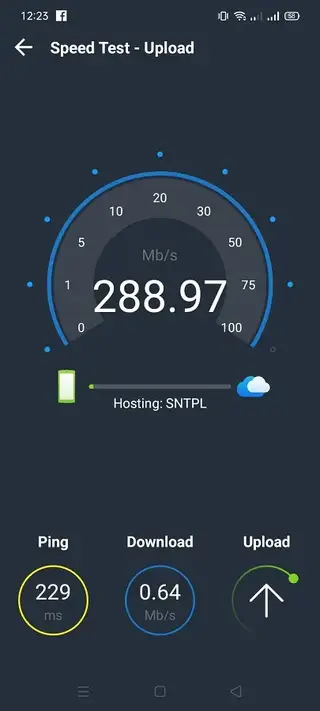

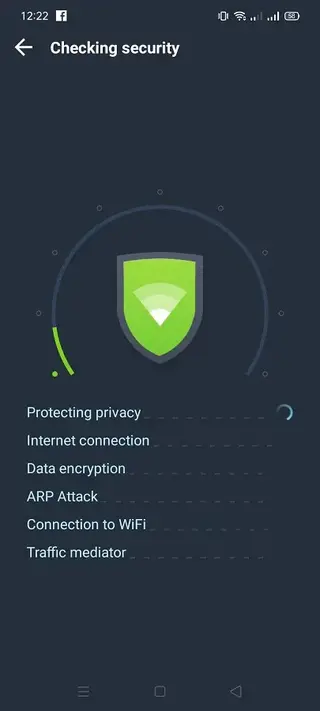
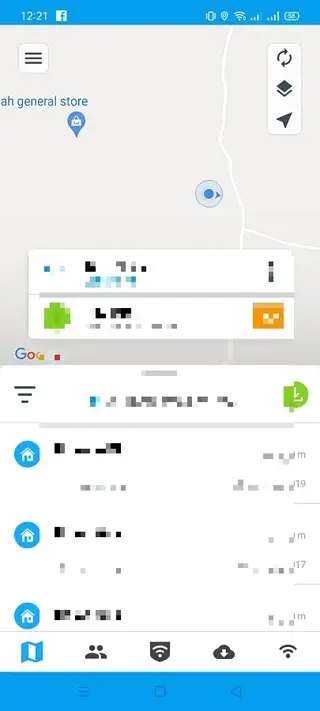
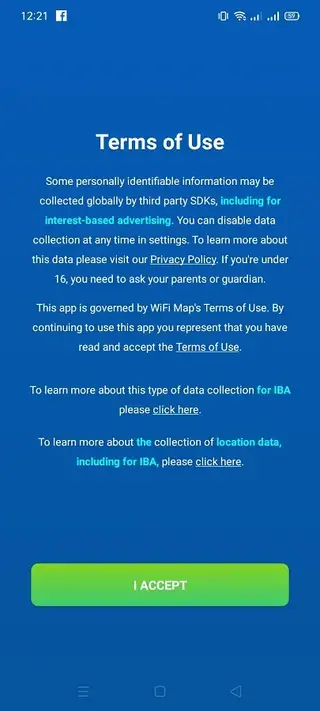
WiFi Hotspot Coverage and Accuracy
WifiMap.io relies on both public information and contributions from its user community. This means coverage is often stronger in popular cities and tourist destinations where more people use the app and share data. In remote areas or small towns, hotspot density and password availability can be lower.
Because networks change over time, some entries may become outdated. The app provides tools for users to report changes, update passwords, or mark hotspots as inactive, which helps keep the map more accurate over the long term.
Security and Privacy Considerations
Public and shared WiFi networks can carry security risks, so it is important to use extra protection where possible. WifiMap.io includes a VPN feature that can help encrypt your traffic on open networks. While this can improve privacy, it does not replace basic safe browsing habits.
When using the app, you can also review the permissions requested on installation and adjust device-level privacy settings according to your comfort level. Avoid transmitting sensitive data on unknown networks when possible.
Tips for Getting Better Results with WifiMap.io
To get more value from WifiMap.io, consider downloading offline maps before you travel, especially for cities or regions where you expect to need WiFi. This makes it easier to find hotspots immediately after arrival.
Keep the app updated to the latest available version, as newer releases often include improvements to the map, VPN performance, and user interface. You can check for newer APK versions on our website whenever you want to update manually.
FAQs
Pros
- Large community-driven database of WiFi hotspots worldwide
- Offline maps make hotspot searching possible without a live connection
- Integrated VPN adds extra privacy on public WiFi networks
- Simple interface that is easy to understand for new users
- Useful companion tool for frequent travelers and digital nomads
Cons
- Hotspot availability and passwords depend on community contributions
- Some advanced features require in-app purchases or subscription
- Performance and speed can vary between VPN servers
- Contains advertising in the free version
Conclusion
WifiMap.io brings WiFi discovery, offline maps, and VPN into one practical Android app, making it a helpful tool for staying online at home or while traveling. You can download the official APK from our website, install it on a compatible device, and start exploring nearby hotspots and connectivity options in just a few minutes.




Comments
No approved comments yet.