

REC TV
REC TV is an Android entertainment app that combines movies, series and IPTV channels in a single place. It targets users who want a simple way to watch different types of content without installing multiple apps.
With this app you can stream live TV, explore a catalog of films and web series, and in many cases save videos for offline viewing. The interface focuses on Turkish users, but anyone familiar with basic navigation can browse the categories and start watching quickly.
You can download the official REC TV APK file directly from our website and install it on compatible Android phones and tablets running Android 4.4 or higher.
Rate this app
App details
- App name
- REC TV
- Category
- Entertainment
- Version
- v16.2
- Size
- 55.02 MB
- Requirements
- 4.4 and Above
- Package name
- com.rectv.rectv1
- Publisher
- RECTV
- Price
- Free
- Mod
- No
- Downloads
- 558,462
- Rating
- 4.4 / 5
- Rating count
- 18,534
- Play Store
- No
- Requires root
- No
- Offline support
- Yes
- Contains ads
- No
- In-app purchases
- No
- Updated
- May 13, 2026
- Age rating
- Rated for 3+
Table of contents
What is REC TV APK
REC TV APK is an IPTV and video-on-demand application for Android that brings together live TV channels, movies and web series in one app. Instead of juggling separate streaming apps, you can browse different sections and play content directly inside REC TV.
The app focuses on Turkish-language content and menus, so it is especially useful for users who prefer Turkish channels and media libraries. It offers access to a large list of IPTV channels, including general entertainment, news, sports and music, along with a growing catalog of on-demand films and series.
REC TV uses a built-in media player, so you do not need extra video apps to watch streams. Once installed, you can open the app, choose a category such as Movies, TV Shows or IPTV, and start streaming on your Android device.
Why Download REC TV for Android
People download REC TV because it brings multiple types of entertainment into a single, easy-to-use Android app. You can switch between films, series and IPTV channels without leaving the interface, which makes it convenient for daily viewing.
The app focuses on free access to content, so you do not have to deal with complicated subscription plans. Its category-based layout and search filters help you find the channel, movie or episode you want with minimal tapping.
If you are looking for an all-in-one Turkish-focused entertainment app that runs on phones and tablets, REC TV is a practical option. You can get the latest APK version directly from our website and keep it updated as new releases arrive.
How REC TV is Useful
REC TV is useful for Android users who want quick access to live TV and on-demand content without switching between many apps. The IPTV section lets you follow news, sports and general channels in real time, while the Movies and TV Shows areas cover longer-form entertainment.
The app also supports downloading certain media files, so you can store content on your device and watch it later without an internet connection. This is handy for travel or times when your network is unstable.
Because the interface and most content are in Turkish, the app serves Turkish-speaking users especially well. It groups related channels and titles clearly, which makes it easier to explore new content while still returning to your favorites.
If you don’t understand the language, then you might face a problem. But don’t worry about it because we have a solution for you all. You guys can try Exodus Live TV and Top TV Pro, both of these movie apps provide similar services in multiple languages.
How to Download and Install REC TV APK
You can download the official REC TV APK file directly from our website. Make sure your device runs Android 4.4 or higher before starting the installation.
Follow these steps to download and install:
Scroll to the download area on this page and tap the REC TV APK download button.
Wait for the APK file to finish downloading to your Android device.
Open your device Settings and enable installation from unknown sources or allow your browser to install unknown apps.
Locate the downloaded APK file in your Downloads folder and tap it.
Confirm the installation prompt and wait until the process completes.
Launch REC TV from your app drawer and start exploring the IPTV, Movies and TV Shows sections.
Features
All-in-one entertainment hub
Combines movies, TV shows and IPTV channels in a single Android app so you do not need separate streaming applications.
Large IPTV channel list
Offers access to a wide range of IPTV channels including entertainment, sports, news and music focused mainly on Turkish content.
Movies section
Provides a catalog of films with new titles added regularly so users can watch recently released and popular movies.
TV shows and web series
Includes full seasons and episodes of various series so you can follow your favorite shows in order.
Downloadable media
Allows downloading of selected movies or episodes for offline viewing on your device.
Built-in media player
Plays streams and videos inside the app without requiring external video players.
Filter and search options
Helps users quickly locate specific channels, movies or series using categories and search tools.
User-friendly interface
Features a straightforward layout designed to make navigation simple even for less experienced Android users.
Screenshots
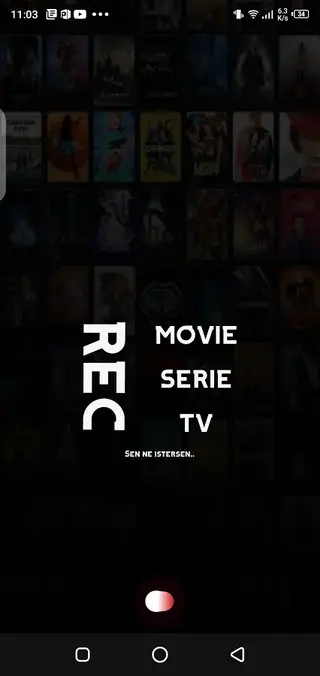
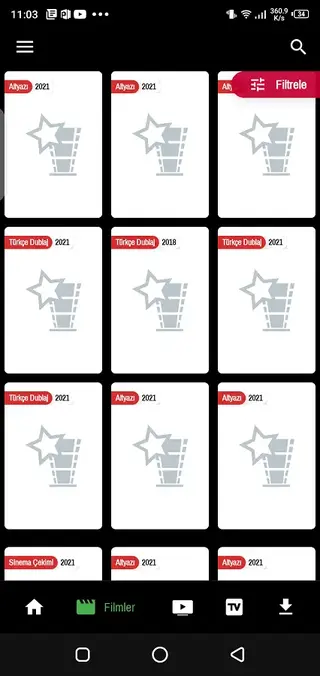
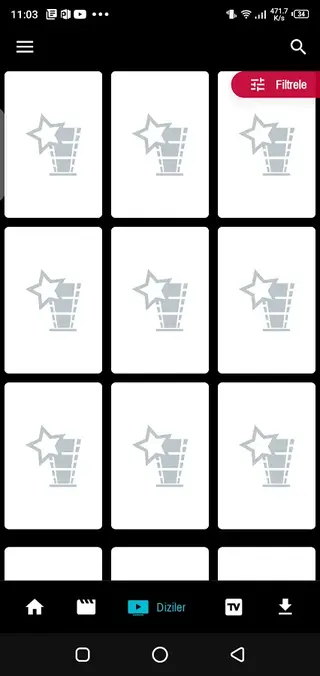
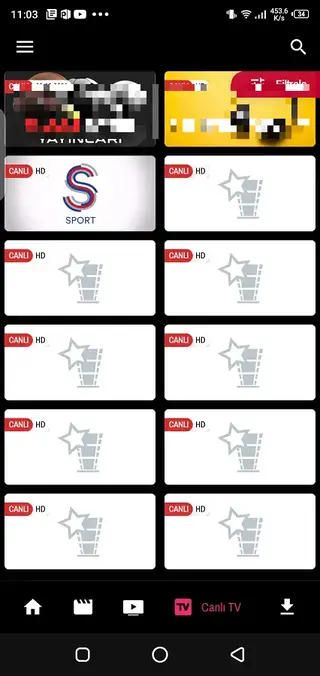

Streaming Quality and Performance
The quality of streams in REC TV depends on your internet connection and the source of each channel or video. On a stable Wi-Fi or mobile data connection, most content plays smoothly, while slower networks may cause buffering.
The built-in player usually provides standard playback controls such as pause, play and seek. Some channels may offer different resolutions, but these options can vary and are not guaranteed for every stream.
Compatibility and Requirements
REC TV is designed for Android phones and tablets running Android 4.4 and above. It works on many devices from major manufacturers as long as they allow installation from unknown sources.
For the best experience, use the app on a device with enough free storage for downloaded media and a reliable internet connection for IPTV and HD streaming.
FAQs
Pros
- Combines live TV, movies and series in a single Android app
- Large catalog of IPTV channels aimed at Turkish-speaking users
- Built-in media player removes the need for extra video apps
- Supports downloading selected content for offline viewing
- Simple interface that is easy to navigate on phones and tablets
Cons
- Interface and content primarily support only the Turkish language
- Requires a stable internet connection for smooth IPTV streaming
- Not available on the Google Play Store
- Content availability can change over time
Conclusion
REC TV offers a practical way to watch Turkish-focused IPTV channels, movies and web series on Android in one place. You can download the latest APK directly from our website, install it on a compatible device and start exploring both live and on-demand content with a simple interface.




Comments
No approved comments yet.