

Moya App Sassa
Moya App Sassa is a data-free messaging and services app designed mainly for users in South Africa and selected African countries. It lets you chat and access useful local services without using your mobile data balance with supported networks.
With the app you can send texts, join group chats, explore news, check SASSA-related information, and access a range of zero-rated websites and mini services in one place. Many core features work without mobile data on participating networks, which makes it attractive for users on tight data budgets.
You can download the official Moya App Sassa APK directly from our website and install it on any compatible Android phone or tablet running Android 6.0 or higher.
As you know there are multiple communication apps available in the market, which you can use to communicate with other people. Messaging apps such as Cartogram and Nicegram are also popular for providing endless free communication. Hence, access all available unique features.
Rate this app
App details
- App name
- Moya App Sassa
- Category
- Communication
- Version
- v8.4.14
- Size
- 38.27 MB
- Requirements
- 6.0 and Above
- Package name
- nu.bi.moya
- Publisher
- Datafree Africa Pty Ltd
- Price
- Free
- Mod
- No
- Downloads
- 1,023,255
- Rating
- 4.2 / 5
- Rating count
- 189,213
- Play Store
- Yes
- Requires root
- No
- Offline support
- No
- Contains ads
- Yes
- In-app purchases
- Yes
- Updated
- May 13, 2026
- Age rating
- Rated for 12+
Table of contents
What is Moya App Sassa
Moya App Sassa is an Android communication and super-app experience created by Datafree Africa Pty Ltd. The app focuses on "datafree" usage, which means certain functions do not consume your mobile data balance when you use supported mobile networks in eligible countries.
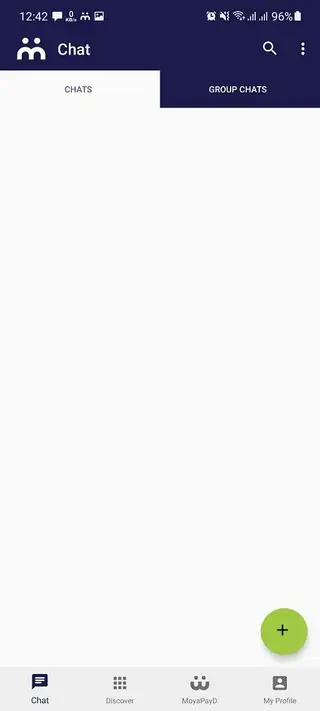
Inside the app you can register with your mobile number, verify your account, and start chatting with people in your phone contacts who also use Moya. It supports one-to-one chats, group chats, media sharing and more, similar to common messaging apps but with a strong focus on low-cost and data-efficient use.
For many users in South Africa, Nigeria, Cameroon, Zambia and Uganda, Moya also acts as a hub for local digital services. It provides access to news, government information including SASSA-related content, weather, sport, and other portals that are available with zero data charges on supported networks.
The app interface is simple and mobile-friendly, so first-time smartphone users can set it up quickly. Once you confirm your mobile number, Moya syncs your contacts and shows who is already available on the platform, which makes it easy to start conversations immediately.
Why download Moya App Sassa APK
Installing the Moya App Sassa APK on your Android device gives you a flexible way to communicate and explore local services while saving on data costs. Many users in supported countries rely on Moya as a primary chat app because text messaging and selected in-app services can work without consuming their data balance on participating mobile networks.
The app also brings multiple tools into one place. Besides chats and groups you can explore content feeds, find SASSA-related updates, browse information portals, and use certain mini services from within the same interface. This reduces the need to install separate apps for every task.
By downloading the APK directly from our website, you can quickly install the latest available version even if you have issues with Play Store access on your device or in your region.
How Moya App Sassa is useful
Moya App Sassa is particularly useful for users who need to stay connected but have limited data budgets. Data-free messaging on participating networks lets you keep in touch with friends and family even when your data bundle is low or finished, as long as you still have network coverage.
Group messaging with support for large groups helps communities, schools, churches and local organisations coordinate easily. Admins can share announcements, files and links, while members respond in real time using familiar chat tools.
The app also integrates local services and information in one place. You can explore news updates, find SASSA-related resources, browse web content through the datafree portal and, in some regions, use built-in wallet and payment features to handle basic transactions.
Because everything runs inside a simple Android app, users who are new to smartphones can manage communication, information and some financial tasks from a single, consistent interface.
How to download and install Moya App Sassa APK
You can get the official Moya App Sassa APK file directly from our website and install it on your Android phone or tablet. Follow these basic steps to start using the app.
Scroll to the download area on this page and tap the APK download button for Moya App Sassa.
Wait for your browser to finish downloading the APK file to your device.
If this is your first manual install, open your phone settings and enable installation from unknown sources for your browser or file manager.
Open your file manager, locate the downloaded Moya App Sassa APK, and tap it to start the installer.
Review the on-screen permissions and tap Install to complete the process.
Once installation finishes, open Moya, register with your mobile number, verify the code you receive, and allow the app to sync your contacts.
After setup you can start sending datafree messages on supported networks and explore the local services available in your country.
Features
Datafree messaging on supported networks
Send and receive text messages and basic media without using your data balance when connected to eligible mobile networks in supported countries.
One-to-one and group chats
Chat privately with individuals or create large groups where hundreds of participants can share updates, files and messages.
Voice and video calling
Make voice and video calls to your contacts from within the app, subject to normal data or airtime charges where datafree calling is not available.
Contact sync and phonebook integration
Automatically detect which of your phone contacts use Moya so you can start chatting without manually adding usernames.
Local services and SASSA-related access
Browse selected news, government information, SASSA-related content and other local services in one place, often with datafree access on supported networks.
Built-in wallet and payments in supported regions
Use the integrated wallet in eligible areas to store value, send money and pay for certain services from inside the app.
High-privacy chat options
Benefit from privacy controls designed to protect your conversations and personal information, with options to manage visibility and security settings.
Low data usage design
Enjoy a lightweight interface optimised to use as little data as possible when features are not covered by datafree access.
Screenshots

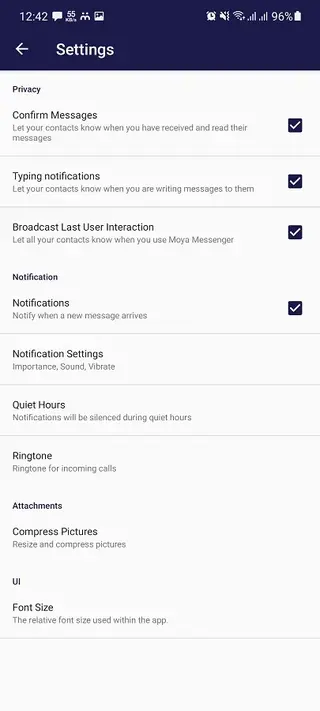
Datafree availability and supported networks
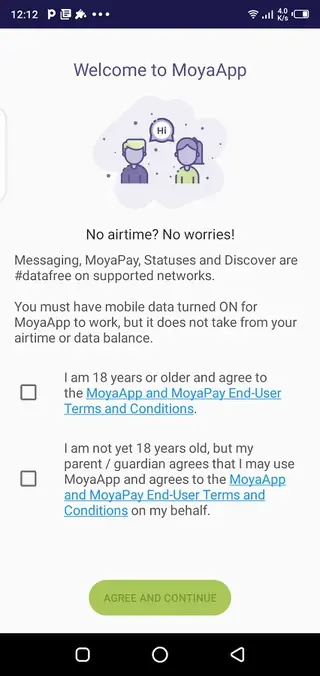
Moya App Sassa relies on partnerships with mobile network operators to provide datafree access. When you use the app on a participating network, selected functions such as messaging and browsing supported content will not deplete your data balance.
Outside of these networks or regions the app still functions as a normal messaging and services app, but your mobile data or Wi-Fi connection will be used. Because agreements can change over time, availability of datafree access may differ between operators and countries, so it is always good to check within the app or with your network for the latest status.
Account setup and contact management
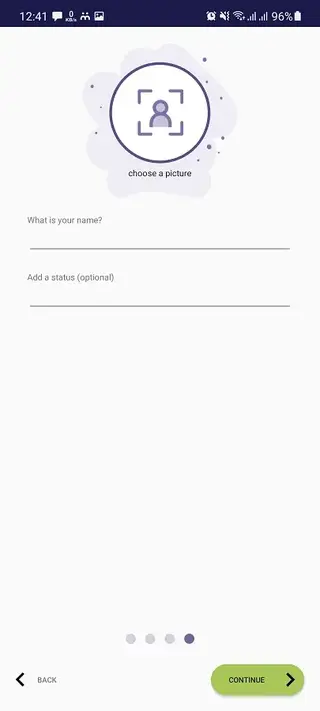
After installing Moya App Sassa you start by selecting your country and entering your mobile number. The app sends a one-time verification code by SMS. Once you confirm the code, your account becomes active and Moya scans your address book to find which contacts are already using the app.
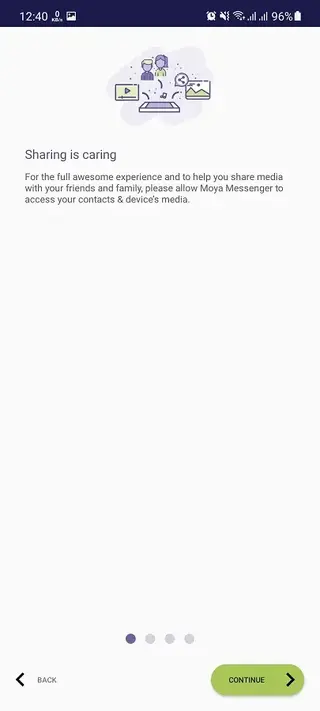
You can control permissions for contact access and notifications from your device settings. New contacts who join Moya later will appear automatically in your app, which makes it easier to keep in touch without sharing usernames or IDs manually.
Security, privacy and responsible use
Moya App Sassa includes privacy settings that let you manage aspects such as profile visibility, last-seen information and blocked contacts. The app is designed to protect your basic account data and message content, but you should still avoid sharing passwords, PINs or other sensitive details in chats.
As with any communication platform, use strong screen locks on your phone, keep your app updated to the latest version and be cautious about links and personal information shared in groups. Following these simple steps helps you enjoy the benefits of Moya while keeping your account safer.
FAQs
Pros
- Datafree messaging available on supported networks
- Combines chat, news and local services in one app
- Simple registration using mobile number and SMS verification
- Large group chat support for communities and organisations
- Built-in wallet and payments in selected regions
- Lightweight interface designed to save data
Cons
- Datafree features are limited to specific countries and networks
- Voice and video calls may still use regular mobile data
- Requires phone number and SMS verification to sign up
- Some features and services vary by region and may not be available everywhere
- Contains ads and optional paid services in some markets
Conclusion
Moya App Sassa offers a practical way to stay connected and access local digital services while keeping data usage under control. By installing the APK from our website, eligible users can benefit from datafree messaging on supported networks, large group chats and integrated service portals in a single, easy-to-use Android app.




Comments
No approved comments yet.